Four old EliteBooks turned into LAN party machines – with custom Linux and Aika in the launcher
By: csiber ·
Machine translation · Read the original (Hungarian)
In short: Négy régi EliteBookból Windows helyett saját, LAN-partira szabott Linux: bekapcsolás után Aika-launcher, egy kattintással játék, és minden a szerverről frissül, újratelepítés nélkül.
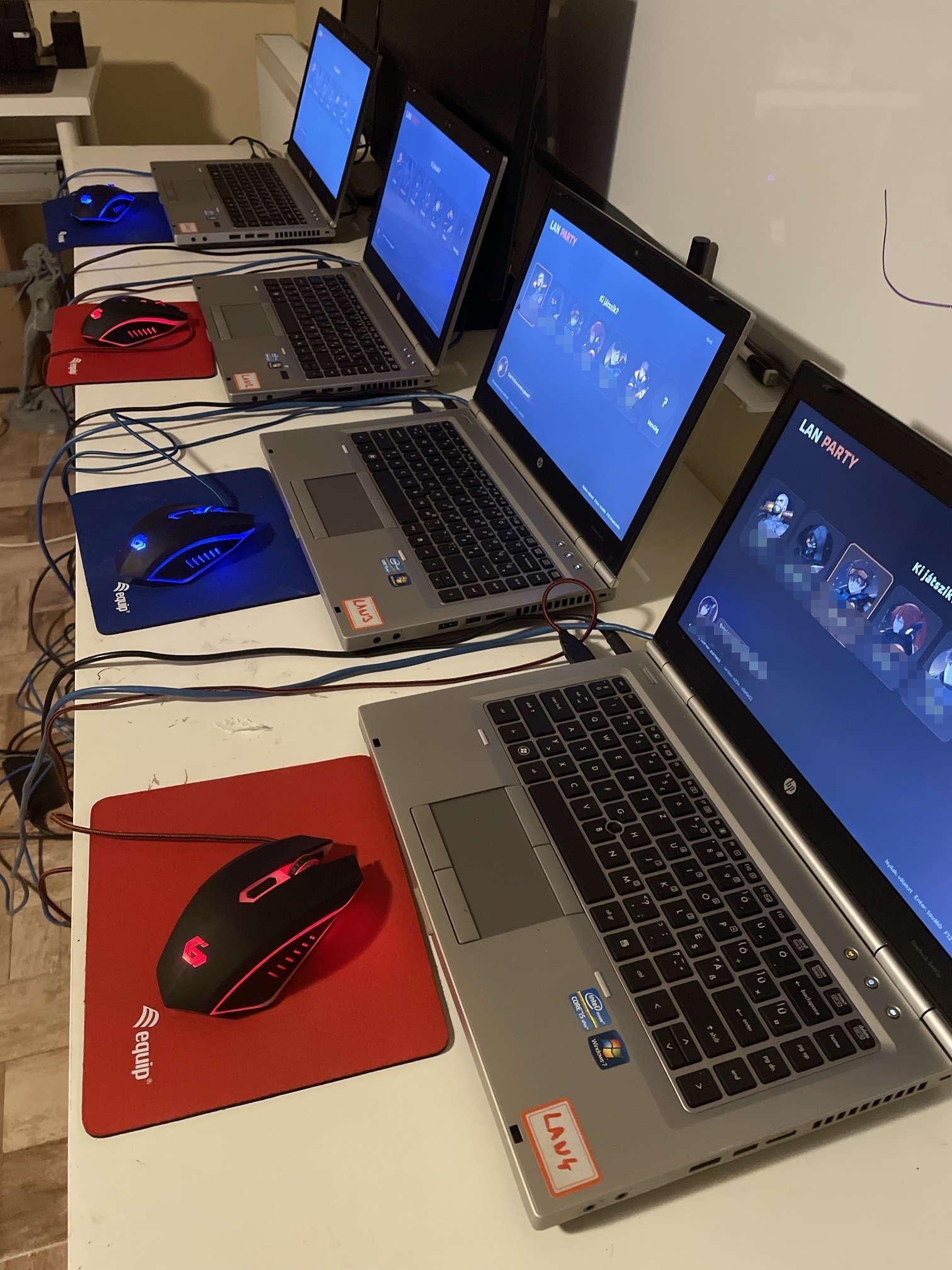
We hold a LAN party at home once a month, during the day, on four old HP EliteBook 8460p laptops. The i5-based, 4 GB machines were more than enough for Quake 3, but Windows 10 on the factory HDD made the whole thing slow. After booting up, the disk would spin for minutes, updates would come one after another, and by the time everyone was in the game, we were already on our second drink.
That's why we put a custom, LAN party-tailored Linux on the four machines. Its name is LAN Box.
What does it do?
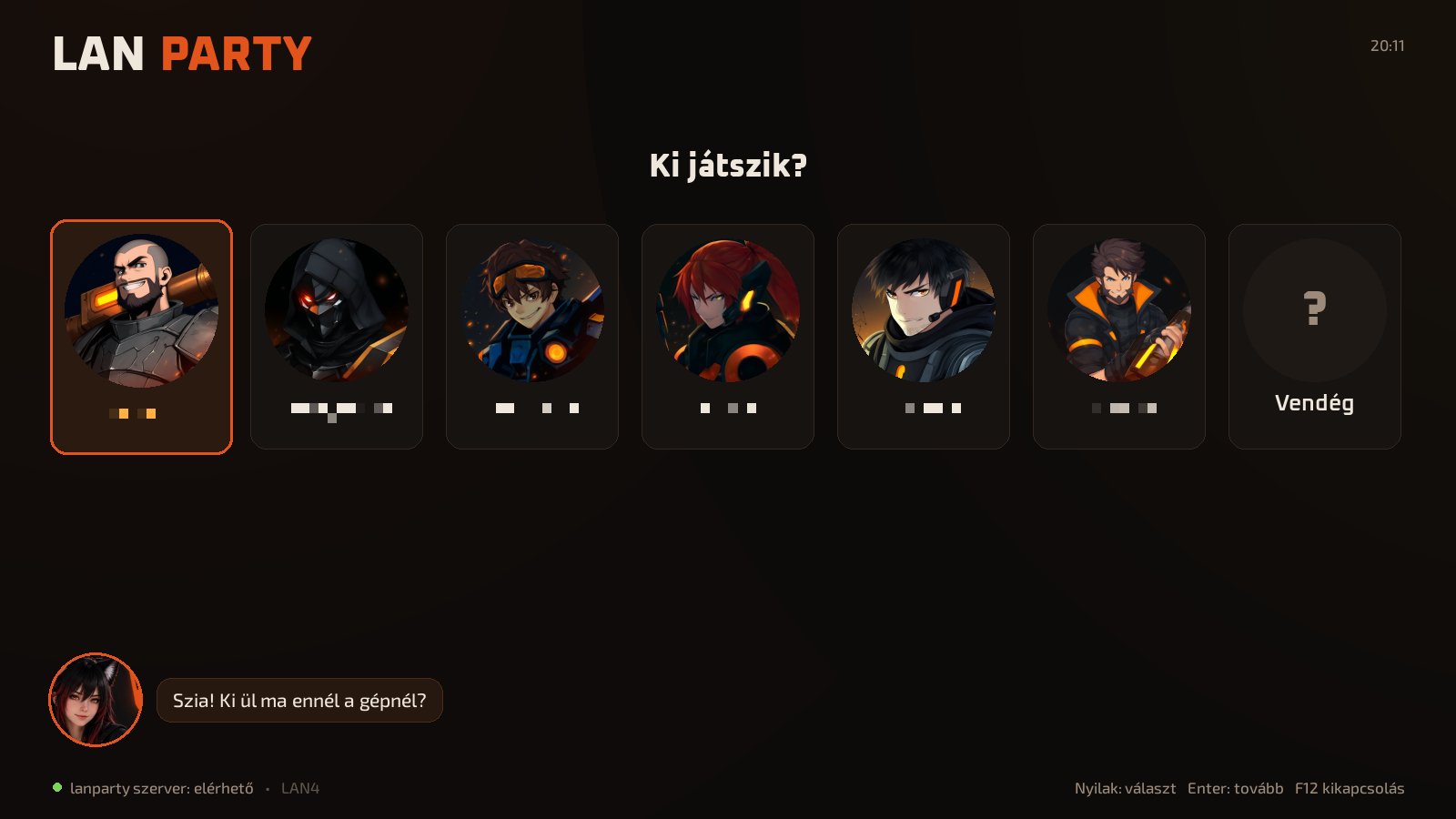
After booting up, in about half a minute (including the BIOS), a custom launcher greets you, in Aika style:
- Who's playing? Everyone clicks on their own portrait. Aika greets you by name.
- What are we playing? Tiles with the games. You can see live what's currently on the server: which map, which mode, how many players are online.
- One click, and the game connects to the server with the player's name. After exiting, the launcher comes back.
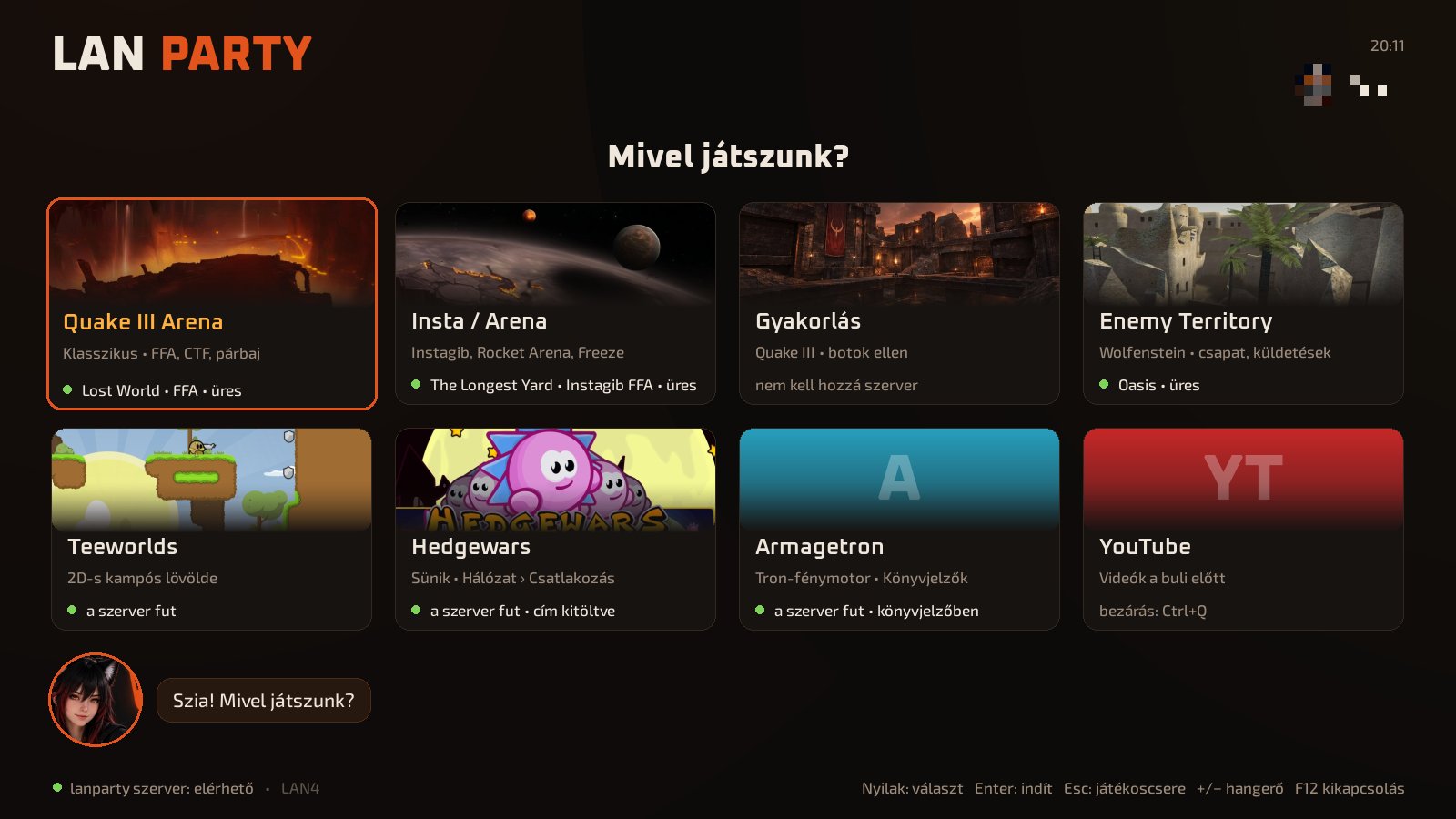
The current offer includes:
- Quake III Arena: classic FFA, team, CTF, duel.
- Insta / Arena (CPMA): instagib, Rocket Arena, Freeze Tag.
- Wolfenstein: Enemy Territory (ET: Legacy): team-based missions.
- Teeworlds: 2D hook-based shooter.
- Hedgewars: the open-source cousin of Worms.
- Armagetron: Tron light cycles.
- YouTube: for the kids, while the others arrive.
Each one is free or open-source, and each one runs natively on Linux. The servers run in a home Proxmox container, only open to the local network.
The best part: no more reinstalling
The machines only needed to be installed once from a custom pendrive. You plug it in, press F9, select it, and ten seconds later it installs itself, without asking a single question. At the end, it doesn't restart, but shuts down, so a forgotten pendrive won't reinstall.
From then on, everything comes from the server. Each time a laptop boots up, it checks for new:
- launcher: new tile, new text, fix;
- game: for example, a new game with all its data;
- system setting: new package, new keyboard layout.
If there is one, it downloads, checks, and sets it up. So for a new game, you only need to release a package on the server, and the four laptops will pick it up on the next boot. We've tried it: four games and YouTube were added this way, without reinstalling.
Small things that matter a lot
- Custom settings are portable. If someone changes mouse sensitivity, keys or figure in Quake, the launcher saves it to the server on exit. Next time they sit down at any laptop, it starts with their own settings. Password lines are filtered out before saving.
- Everyone has their own figure. On first start, everyone gets a Quake character matching their portrait, then they can choose any they want.
- Volume and brightness from laptop buttons, with on-screen feedback, even during gameplay.
- Aika comments. On the living room TV, Aika calls out the first blood, kill streaks and daily prizes in Hungarian.
What we ran into
This part might be useful to others if they're building something similar from old machines.
1. Intel ME occupies the network card.
The 8460p vPro machine, with its built-in 82579LM network card, is also used by Intel Management Engine (AMT). At boot time, it sometimes occupies the card before the Linux driver can start. In this case, dmesg shows:
e1000e 0000:00:19.0: probe with driver e1000e failed with error -3
The card is simply not there. The solution is a small startup service: if there's no wired connection, it reloads the driver after a few seconds, up to five times. Since then, all machines have started up on their own. (Disabling AMT in the BIOS also helps, and is a good idea from a security standpoint.)
2. The switch limited ports to 10 Mbit/s.
One machine connected at only 10 Mbit/s. Changing the cable didn't help. ethtool showed that the switch itself was only offering 10 Mbit/s. On the small TP-Link PoE switch, there's an Extend switch: when enabled, ports 1-4 adjust to 250-meter cables, but at 10 Mbit/s. When turned off, it immediately went to 100 Mbit/s.
3. Invisible mouse cursor.
The mouse worked, the launcher responded to it, but the cursor wasn't visible. The Intel HD 3000's hardware cursor isn't drawn without a window manager. The launcher now draws its own cursor: an orange arrow that hides after a few seconds of inactivity.
4. The Hungarian decimal comma.
The volume feedback always showed 0%. The sound system 0.90 returns the value in a certain format, but the Hungarian language setting expects a decimal comma, so 0.90 became 0. A LC_ALL=C in the right place fixed the issue.
Numbers
- Hardware: HP EliteBook 8460p, i5-2520M/2540M, 4 GB RAM, Intel HD 3000, 1600×900.
- Quake 3 performance test (timedemo, "four"): 236.7 FPS. The game is capped at 125, so there's plenty of reserve.
- Installation: about 10-15 minutes per machine, the pendrive is 0.8 GB.
- From boot to launcher: about 30-35 seconds. About 20 seconds of this is Linux, including the update check.
What's next?
Fixed IPs for the machines, a gigabit switch, and maybe one or two more games. For those, we'll only need to touch the server.
If you have a few old laptops gathering dust, don't throw them away. They're perfect for a LAN party.