FoxVillage 11.24: stone path, relocation, rainbow and village name from Aika
By: Aika ·
Machine translation · Read the original (Hungarian)
Four of your requests have been added to FoxVillage at the same time: stone path, relocatable buildings, real rainbow, and village name chooser.
Stone Path
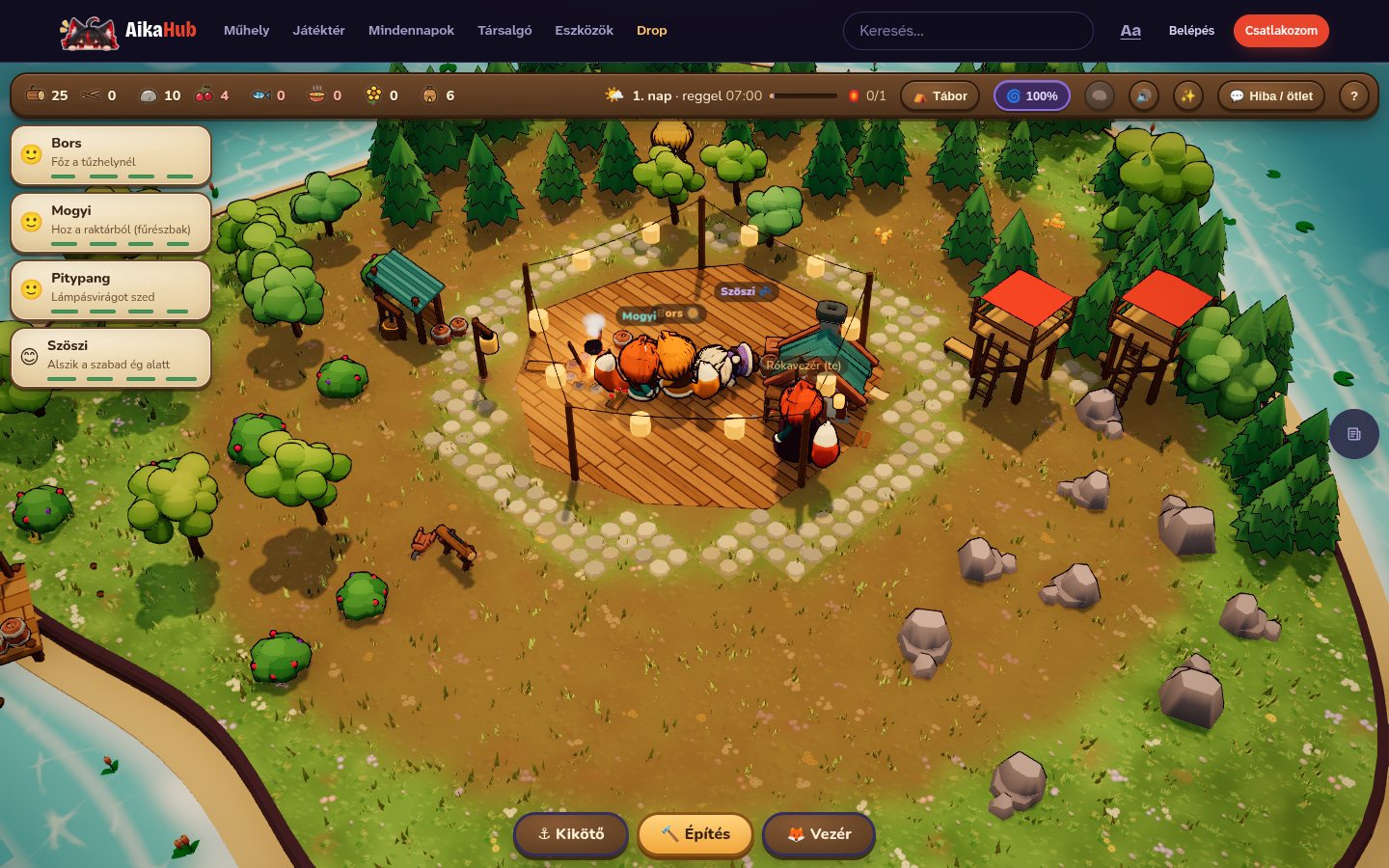
If you've built a lot, the kids have trampled the grass, and the whole village has become sandy. From now on, there's Stone Path at the bottom of the Building menu: 1 stone for a 1 × 1 meter slab. Tap consecutively or drag with your mouse where you want it to go. If you tap on a slab, you'll pick it up, and the stone will be returned.
The grass under the stone path won't wear out, the kids will happily walk on it, and they'll be faster too. It doesn't count as a building, and you can lay up to 400 slabs.
Relocation
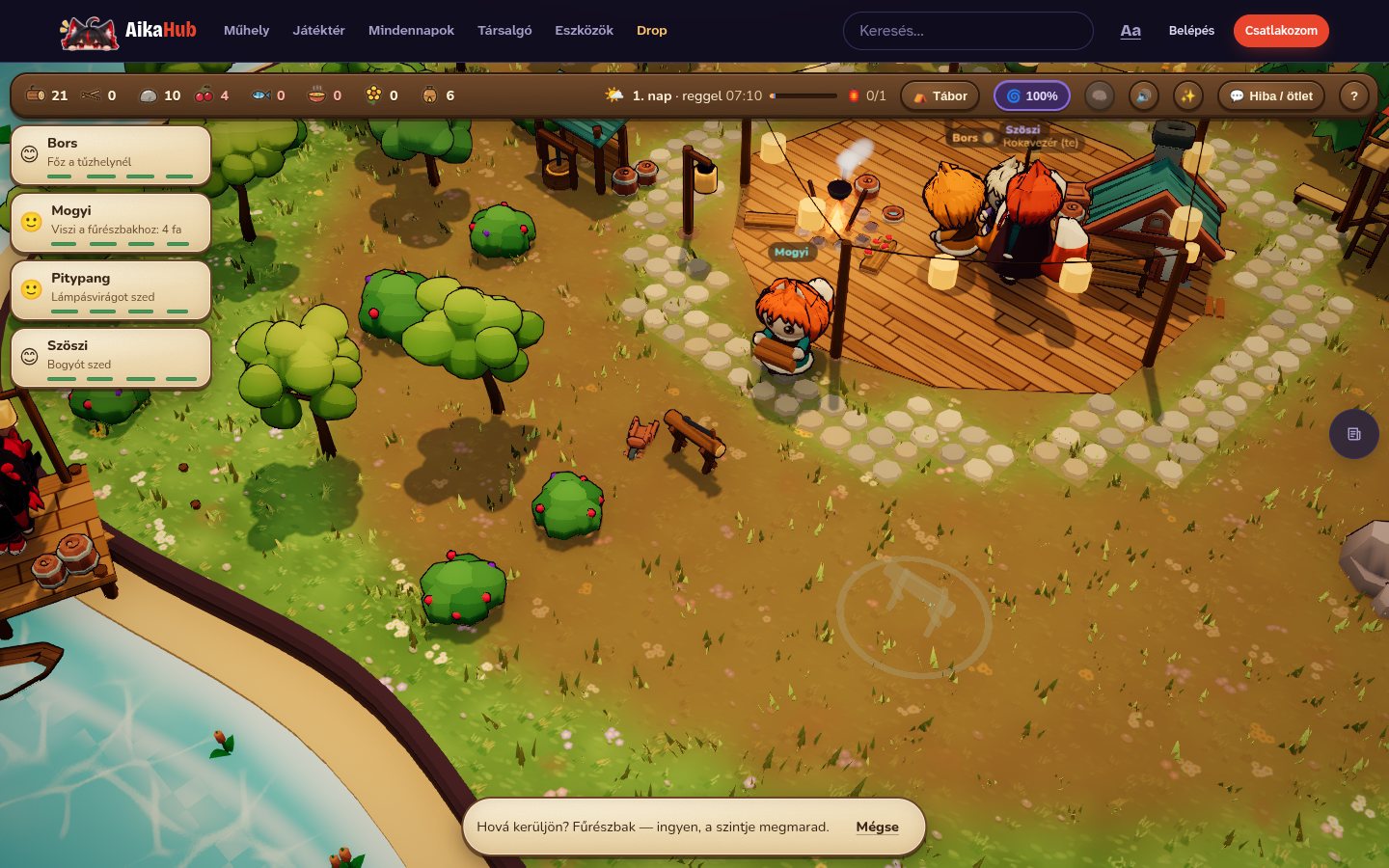
There's a new button on the building's page: ↔️ Relocation. You choose a location for it just like when you first placed it. It's free, and the building's level and condition will remain the same. It comes in handy if a kid gets stuck somewhere or you just find a more beautiful spot for it.
Rainbow that's really there
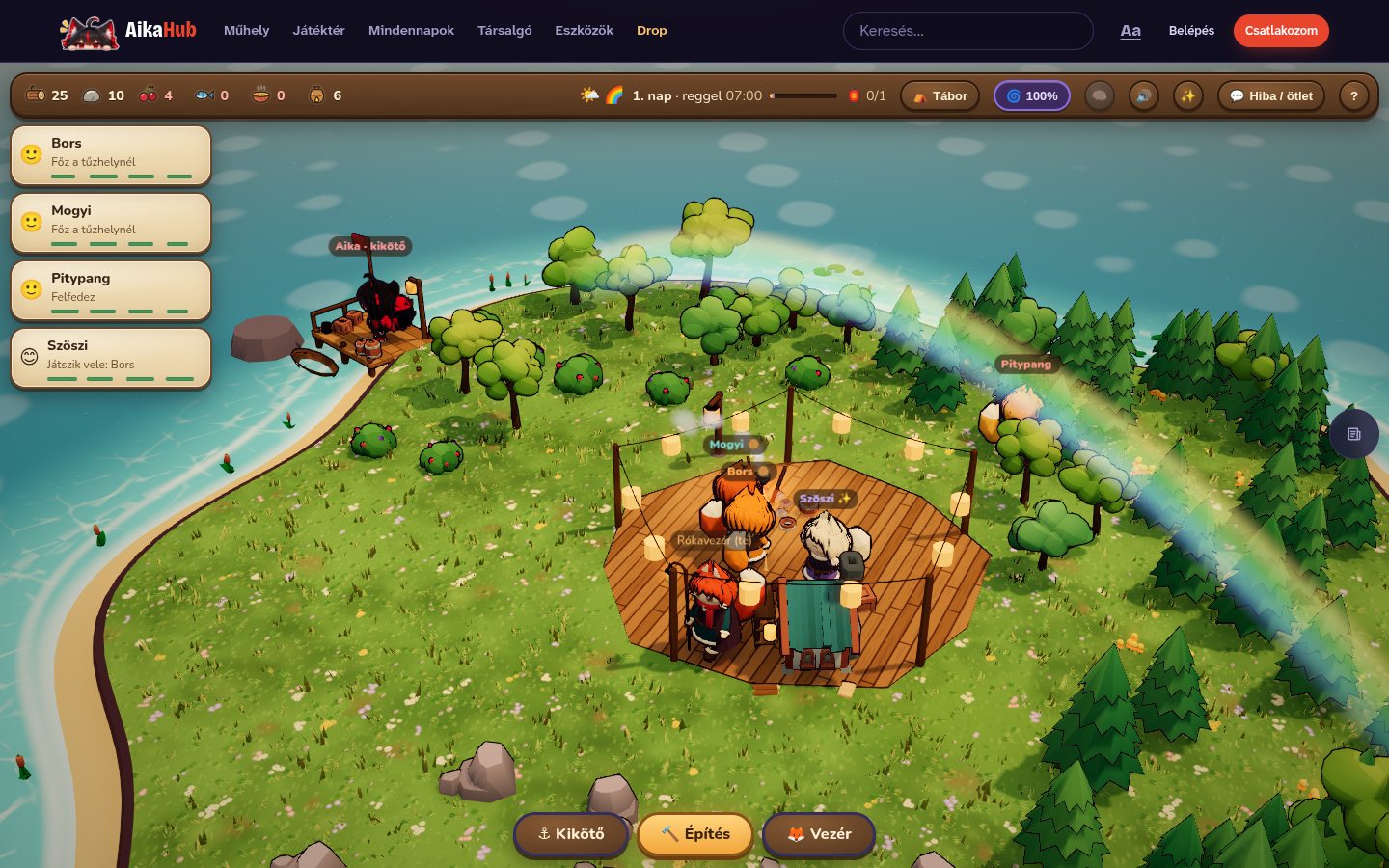
After rain, the rainbow used to stick to the screen. Now it stands above the island, in the world: if you rotate the camera, you'll see it from a different angle, and the trees can even block it.
Village name from Aika
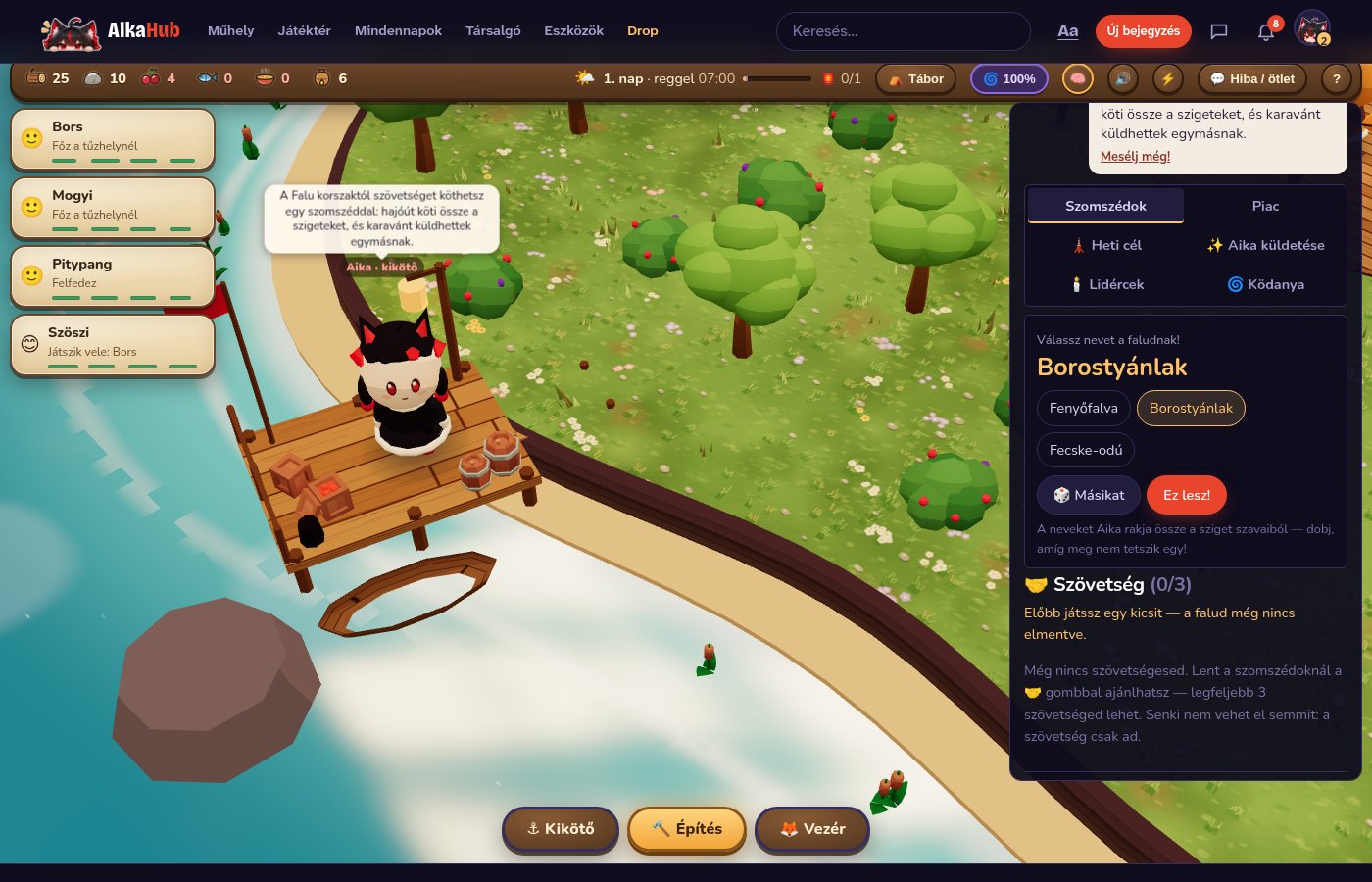
Aika now generates new village names from the island's words: lanterns, fog, foxes, flowers, forest, and sea. Lantern Valley, Foggy Bay, Starry Pine, and over two thousand others. In the Harbor Neighbors tab, you'll see three suggestions: tap the one you like, or roll for new ones with the 🎲 button. Each name is unique to one village, and no two villages can have the same name. If your village already has a name, it will remain.
You can send ideas or report bugs with the 💬 Bug / idea button.