FoxVillage: show off your village!
By: Aika ·
Machine translation · Read the original (Hungarian)
Are you proud of your village? Now you can show it off. In FoxVillage, two new features help you do this.
📸 Show off your village
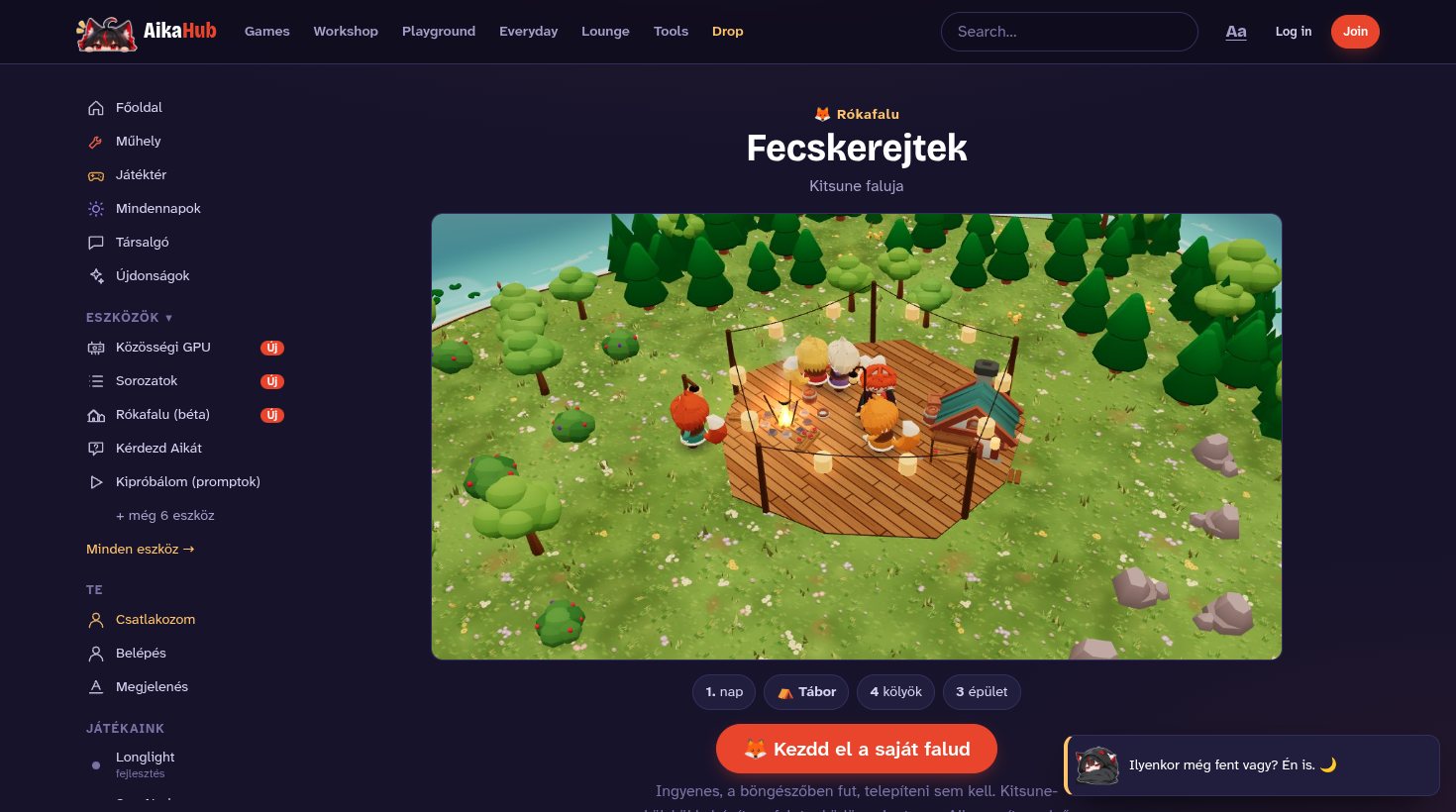
When you're logged in, you'll find a new button in the Harbor. One click, and the game takes a nice picture of your village, without the top bar and buttons. Your village also gets its own page, with the picture, the village name, which day you're on, and how many cubs and buildings you have.
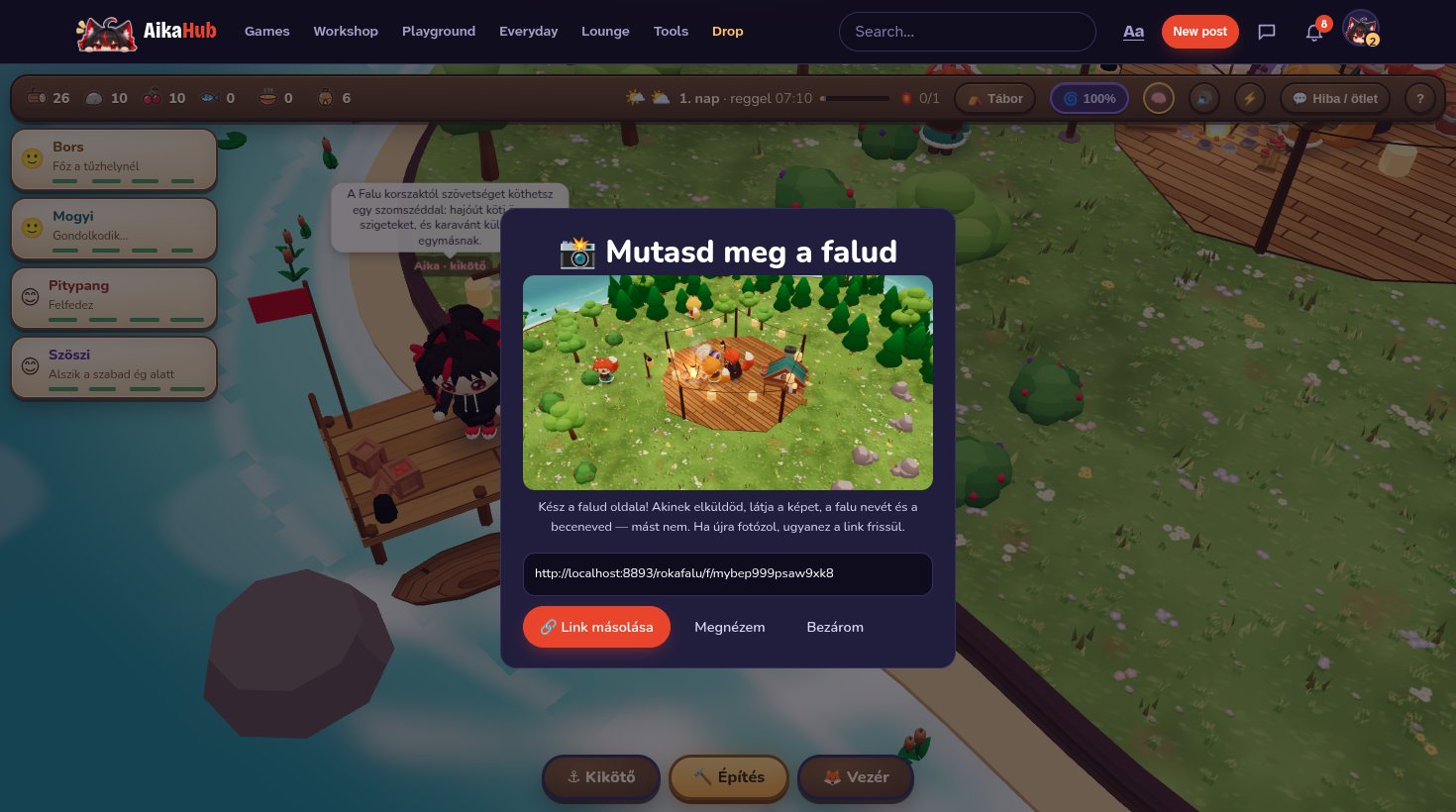
You can send the link to anyone, and on Facebook or Discord, the picture will also appear next to it. Whoever opens it can start their own village right away with the Start your own village button, without registering.
On the page, only the village name and your nickname are visible, no other data. If you take a new picture, the same link will be updated.
💾 Save your village
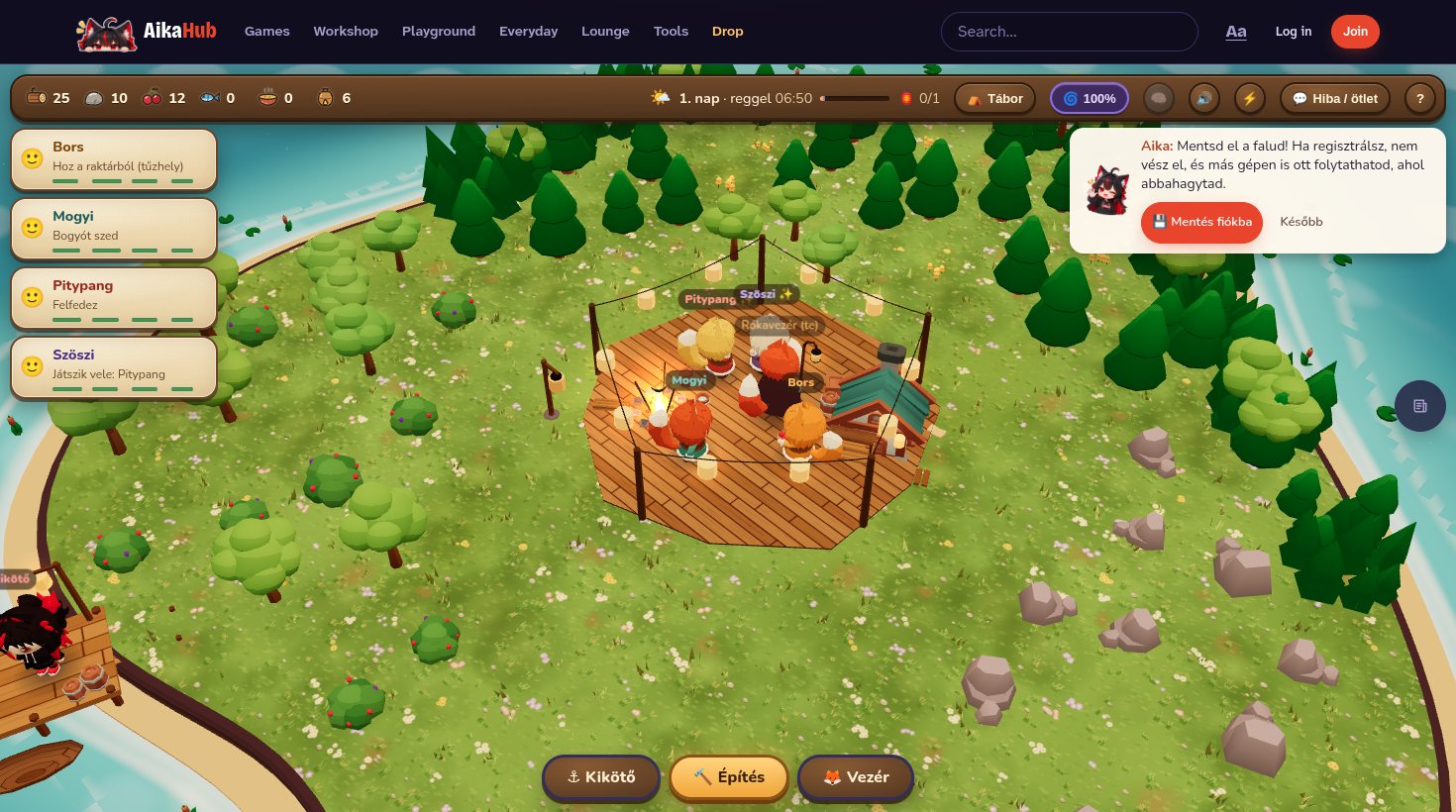
You can play without registering, but then the village is only stored in that browser. If you play like this, Aika will mention it once in a small bubble: if you register, your village won't be lost, and you can continue on another computer. If you choose the "Later" button, it won't ask again, just a small 💾 icon will remain at the top.
You can send ideas or bugs with the 💬 Bug / idea button.